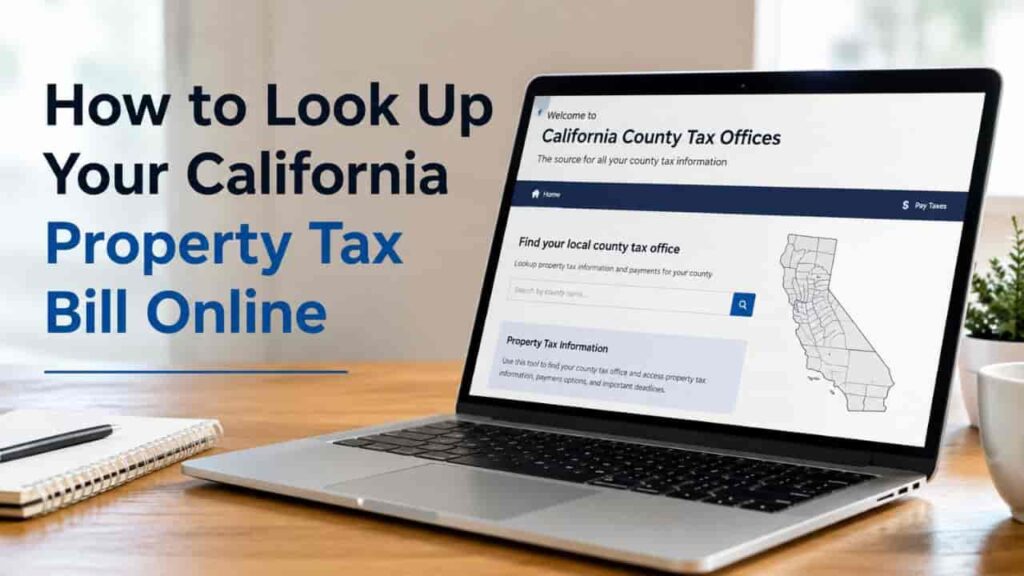
Gone are the days of driving to a crowded municipal building or waiting hours on a customer service hotline just to find out how much you owe the state. Every single county across California provides a centralized digital portal designed to let you instantly locate, view, and process your real estate obligations. Whether you need to download a PDF copy for your federal income tax filing or want to verify that your mortgage company made their scheduled installment payment, pulling up your record takes less than five minutes. This expert blueprint walks you through using California’s official secure lookup networks step by step.
Gathering Your Property Identifiers Before You Search
To maintain maximum safety and structural integrity, California’s secured tax roll information systems are protected. You cannot query the public database by simply entering an owner’s personal first and last name due to strict consumer privacy mandates under the California Public Records Act. Instead, you must utilize specific physical identifiers linked strictly to the real estate asset itself. Before opening your browser, make sure you have at least one of the following items on hand.
Critical Search Parameters Explained
- Assessor’s Parcel Number (APN):
Also referred to in major jurisdictions like Los Angeles County as the Assessor’s Identification Number (AIN). This is a unique, 10-digit formatted numeric string (e.g.,1234-567-890) assigned by the county appraiser that isolates your exact piece of land on local county parcel maps. This is the absolute fastest and most accurate way to perform a query. - Property Street Address:
The official municipal physical address of the real estate. When using an address search, you must format it exactly as it appears on official postal documents, leaving out punctuation like periods after abbreviations (e.g., use “St” instead of “St.”). - Tax Bill Number:
A temporary, unique 8-digit tracking number regenerated every single fiscal year by the tax collector’s office, prominently stamped on the top right quadrant of any paper bills mailed to your residence.
The Universal Step-by-Step Lookup Protocol
While every county maintains its own separate software framework, the mechanical workflow to view tax bill documentation remains identical whether you live in Northern or Southern California.
Follow this standardized, step by step navigational sequence to securely pull up your official statement:
[Navigate to Official County Portal] ➔ [Select Secured Property Tax Search] ➔ [Input APN / Parcel Number] ➔ [Review Balance & Print PDF]
Navigational Execution Sequence
1.Locate Your Official County Portal: Step 1.
Open your web browser and navigate directly to your local county tax collector portal. For instance, if your property is in Los Angeles, go to ttc.lacounty.gov. If you reside in the capital region, access finance.saccounty.gov. Always verify that the website URL ends in a trusted .gov extension to avoid malicious phishing copycats.
2.Select the Secured Property Search Type: Step 2.
Once on the homepage, click on the link labeled “Pay/View Property Taxes” or “Property Tax Lookup.” You will be prompted to choose between “Secured” or “Unsecured” taxes. Choose Secured Property Tax if you are looking up a traditional residential house, condominium, or commercial building.
3.Execute a Parcel Number Tax Search: Step 3.
Select your search method. Choose parcel number tax search (APN/AIN) for immediate accuracy. Type the numbers into the search bar. If the system requests it, strip out the dashes and spaces, entering it as a solid string of digits. Click the “Search” or “Find” button.
4.Review the Ledger and Download the Statement: Step 4.
The portal will generate a comprehensive data screen displaying your property’s attributes, current base year valuation, and payment history. Click the “View Bill” or “Print Original Statement” link to automatically download an official, audit ready PDF copy of your tax bill.
Navigating the Major California County Portals
To provide real-world perspective, let’s look at how the state’s largest municipal centers handle online property data distribution. The systems in Southern California set the benchmark for regional real estate transparency.
| Feature / Protocol | Los Angeles County Portal | Orange County Portal | San Diego County Portal |
| Primary System Name | Property Tax Management System | OC Treasurer-Tax Collector Search | Search, Select & Pay Portal |
| Primary Identification Term | Assessor’s Identification Number (AIN) | Assessor’s Parcel Number (APN) | Parcel / Bill Number |
| Required Online Security | Alphanumeric 6-Character PIN | Direct Capture / No PIN Required | Direct Capture / No PIN Required |
| Electronic Payment Cost | Free via eCheck | Free via eCheck | Free via eCheck |
Crucial Security Note for LA County Users: While anyone can view basic balances using just an address, the Los Angeles County system requires a confidential 6 character alphanumeric PIN printed on your physical bill to view deep historical payment records or to change your formal mailing address online. This extra layer protects homeowners from digital identity tampering.
How to Complete an Online Tax Payment Safely
Once you successfully locate your bill, you can instantly clear any outstanding balances directly inside the portal. To manage your online tax payment like an expert, keep these two payment variables in mind to avoid unnecessary administrative surcharges:
- Electronic Checks (eChecks):
This is the gold standard for online tax payments. By inputting your bank’s routing number and your checking account number, the county processes the transfer directly via the Automated Clearing House (ACH) network. 95% of California counties offer this service completely free of charge. - Credit or Debit Cards:
While highly convenient, processing a major credit card triggers a mandatory convenience fee handled by third-party processors. In California, this fee usually ranges from 2.10% to 2.35% of your total transaction value. On a $5,000 tax installment, a credit card fee adds over $100 in completely avoidable surcharges.
Troubleshooting Common Online Search Glitch Errors
If you type in your information and receive an error reading “No Records Found,” don’t panic. Check for these common user data input errors:
- Drop the Leading Zeros:
If your paper bill lists an APN with a series of zeros at the absolute beginning, try entering the number without those initial zeros, or vice-versa, depending on your county’s specific formatting architecture. - Omit Street Suffixes:
When searching by property address, less is often more. If your home is located at “1234 West Magnolia Boulevard,” try entering simply “1234 Magnolia.” Select your exact home from the drop-down menu that populates automatically. - Check for Supplemental Status:
If you bought your home very recently, your updated records might not be fully uploaded to the main annual secured tax roll yet. Look for a separate link on the portal home screen titled Supplemental Tax Search to locate your current balance.
Conclusion
Mastering a California property tax lookup online gives you full control over your real estate portfolio’s overhead. By executing a clean parcel number tax search directly inside your specific county tax collector portal, you sidestep the frustration of manual record chasing. Always verify your current balance well in advance of the December 10th and April 10th delinquency deadlines to verify your mortgage lender’s compliance. Utilizing free online tax payment tools like eChecks ensures your hard-earned cash goes entirely toward settling your principal balance, rather than being wasted on credit card convenience fees or late penalties.
FAQs
Can I look up my California property tax bill using my name?
No. For privacy and data compliance, California county web portals do not permit public property searches using an owner’s personal name. You must use an address or parcel number.
What is the difference between an APN and an AIN?
They are fundamentally the same concept. “APN” stands for Assessor’s Parcel Number, while Los Angeles County uniquely uses the term “AIN,” which stands for Assessor’s Identification Number.
Is there a fee to view my tax bill online?
No. Accessing public property records, viewing your current liability balance, and downloading official PDF account statements is completely free across all 58 California counties.
How long does it take for an online eCheck payment to post?
While you receive an instant digital receipt confirming submission, it typically takes 2 to 4 business days for the funds to clear your personal bank account.
Why can’t I find my new home on the secured tax roll?
If you purchased the home recently, the county assessor may still be processing the title transfer. Check the site’s “Supplemental Tax Roll” tab or contact the office directly.
Can I print an official copy of my tax bill online?
Yes. Every official county portal provides a downloadable, printer-friendly PDF copy of your annual statement that is fully compliant for mortgage and federal tax deductions.
What happens if I make an online tax payment after 5:00 PM on a deadline day?
Payments submitted after 5:00 PM on December 10th or April 10th are legally late, and the portal will automatically apply an immediate, non-negotiable 10% delinquent penalty.
How do I verify if my mortgage escrow company paid my taxes?
Look up your parcel number online. Under the installment details, the portal will display the exact date payment was received along with a status reading “Paid.”
Can I pay my unsecured property tax on the same portal?
Yes, but you must toggle the search setting from “Secured Roll” to “Unsecured Roll” and input your custom Tax Bill or Assessment Number instead of your APN.
Are third party property tax lookup sites safe to use?
Avoid them. Always look for a URL ending strictly in .gov (like lacounty.gov or ocgov.com) to guarantee your financial safety and ensure your lookup data is official.